Showing posts with label dmgr. Show all posts

Tuesday, August 06, 2019

WebSphere Application Server Network Deployment 7.0 security.xml corrupted.

On one of our internal WebSphere application server network deployment v7 environments, I hit the following error.

The error was: com.ibm.websphere.ssl.SSLException: Cannot get security object from WCCM


Security.xml appeared to have been corrupted. The security.xml file was blank.

To resolve this, I had to copy a security.xml file from another server, and then edit it to 
  1. replace the original server name with the name of my corrupted server 
  2. change it to disable security altogether as instructed here.
    1. NOTE: I had to use the 2nd method mentioned, since my Dmgr was stopped. 
Thanks so much to Chandan Kumar of GeekFlare for posting this very useful procedure :-) 

In case something should happen to GeekFlare,  I am copying it below. Please attribute all credit to Chandan for this! 

Tuesday, August 07, 2012

Auto Starting WebSphere Network Deployment V8 on AIX

We have very basic AIX, with no bells or whistles installed.
To create a launch script, the startmanager, startserver, and starnode scripts will generate this for you.  The command is
./startManager.sh -script -background
or
./startNode.sh -script -background
or
 ./startServer.sh -script -background

.. as appropriate...

In my case, I'm going to auto-start the deployment manager and the node agent, and then use the WAS monitoring policy to handle the individual app servers.

So, the steps are:

  1. Generate the startup scripts using the above commands.
  2. make a copy of rc.was (found in the was bin directory) for the deployment manager, and another for the node agent.  I called these rc.dm.was and rc.na.was.
    1. Edit these to point to the start_dmgr.sh and start_nodeagent.sh scripts generated above
  3. create entry in etc/Inittab for the two files created in step 2
    1. was:2:once:/usr/WebSphere/AppServer/bin/rc.dm.was >/dev/console 2>&1
    2. was:2:once:/usr/WebSphere/AppServer/bin/rc.na.was >/dev/console 2>&1
And, that should do it.  Let's see if it works :-)


Get Restart log using PowerShell

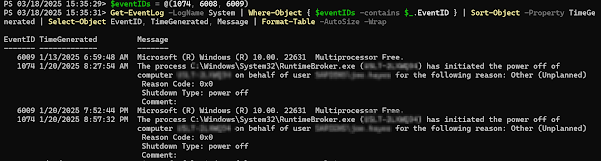
I'm often curious about a restart on a Windows server system. An easy way to get a list of the restart and what initiated it is to use t...