All I needed was to reference return codes for the net stop and net start commands, and every *(&#$@ link was busted.
Grrrrrrrrr.
Thursday, September 29, 2005


Wednesday, September 28, 2005
silly similie
This is how I feel when approaching religious issues scientifically...
Let's pretend that I'm living on a huge pile of uranium (or something else horribly radioactive) in the year 1000 BCE.
Because it’s 1000 BCE, I don’t understand Uranium. In all probability, I incorrectly understand the elements to be earth, wind, and fire. However, because the best minds available to the wondrous modern age in which I live (1000 BCE) have come together and agreed on the answer to the question of elements, I am altogether confident that we have the whole element question sufficiently worked out and put to bed. Earth. Wind. Fire.
But I digress…
I don’t understand or acknowledge the existence of uranium, which won’t be discovered for another 2,790 years. If I had a proper understanding of elements, I might work out the existence of atoms, and then sub-atomic particles, and finally radioactive decay of elements. (All vastly oversimplified herein…)
Furthermore, there exists no equipment to allow me to measure or quantify my exposure to the radioactive decay which, again, I cannot fathom because it’s 1000 BCE.
I am capable of observing the loss of my hair and teeth, that I cough up blood, and that I am continually sick to my stomach.
The tribal Shaman will no doubt have me smoke something wonderful, and then do a ritual to drive away evil spirits.* The most competent and concerned medical professionals I have at my disposal will, in all likelihood, do equally bizarre things like bleeding me or covering me in leaches. My end will be as inevitable as the setting sun.
My neighbors, noting my demise, will draw upon the vast quantities of knowledge that they have carefully catalogued since their species began and, after much deliberation, they will attribute my death to Tomatoes.
We all know that tomatoes are deadly because they are red in color and we have observed deaths when they're consumed after having sat in bowls made with our leading edge lead-refining techniques.
Conclusions:
Pseudo-Science people: How can we so completely ignore history as to come to believe that we know the whole of everything that is to be known? (uranium point beaten dead above) I say Pseudo-science because true scientists understand that Science has little if anything to say about faith because of precisely the point illustrated above: we've no way to measure the things in question.
Religion People: How can we be so SURE that your particular holy book is INSPIRED, anyway? And if it’s not, what credibility does it have beyond the fallible wisdom of well-intentioned men codifying oral tradition? And…
Concerning Genesis: why would an omnipotent God DO such a silly thing? I mean really: Humans + potential for sin + infinite time + agent of evil capable of tempting = ????? Am I missing something?
Other...
Just because something can be explained away, doesn’t mean it should be. Miracles DO happen. Prayers DO get answered, etc.
Something really is going on here (spiritually). But I often feel it's just so many levels beyond my grasp.
I can neither talk about spiritual things scientifically, nor can I discount them because of my lack of understanding.
Science is finite, and can play only a meager role in explaining the infinite.
Grrrrrrrrr.
*I feel fairly comfortable saying that we’re not yet Christian in Europe in 1000 BCE because "BCE" means "Before the Common Era". In a time with a weaker spirit of Anti-Christ, it was called "BC", or "Before Christ".
Presumably Europe was Druidic? Did they smoke anything good?
I think it's funny that 2000 years later, a guy who was born in a barn has everyone's panty's in a bunch. :)
Let's pretend that I'm living on a huge pile of uranium (or something else horribly radioactive) in the year 1000 BCE.
Because it’s 1000 BCE, I don’t understand Uranium. In all probability, I incorrectly understand the elements to be earth, wind, and fire. However, because the best minds available to the wondrous modern age in which I live (1000 BCE) have come together and agreed on the answer to the question of elements, I am altogether confident that we have the whole element question sufficiently worked out and put to bed. Earth. Wind. Fire.
But I digress…
I don’t understand or acknowledge the existence of uranium, which won’t be discovered for another 2,790 years. If I had a proper understanding of elements, I might work out the existence of atoms, and then sub-atomic particles, and finally radioactive decay of elements. (All vastly oversimplified herein…)
Furthermore, there exists no equipment to allow me to measure or quantify my exposure to the radioactive decay which, again, I cannot fathom because it’s 1000 BCE.
I am capable of observing the loss of my hair and teeth, that I cough up blood, and that I am continually sick to my stomach.
The tribal Shaman will no doubt have me smoke something wonderful, and then do a ritual to drive away evil spirits.* The most competent and concerned medical professionals I have at my disposal will, in all likelihood, do equally bizarre things like bleeding me or covering me in leaches. My end will be as inevitable as the setting sun.
My neighbors, noting my demise, will draw upon the vast quantities of knowledge that they have carefully catalogued since their species began and, after much deliberation, they will attribute my death to Tomatoes.
We all know that tomatoes are deadly because they are red in color and we have observed deaths when they're consumed after having sat in bowls made with our leading edge lead-refining techniques.
Conclusions:
Pseudo-Science people: How can we so completely ignore history as to come to believe that we know the whole of everything that is to be known? (uranium point beaten dead above) I say Pseudo-science because true scientists understand that Science has little if anything to say about faith because of precisely the point illustrated above: we've no way to measure the things in question.
Religion People: How can we be so SURE that your particular holy book is INSPIRED, anyway? And if it’s not, what credibility does it have beyond the fallible wisdom of well-intentioned men codifying oral tradition? And…
Concerning Genesis: why would an omnipotent God DO such a silly thing? I mean really: Humans + potential for sin + infinite time + agent of evil capable of tempting = ????? Am I missing something?
Other...
Just because something can be explained away, doesn’t mean it should be. Miracles DO happen. Prayers DO get answered, etc.
Something really is going on here (spiritually). But I often feel it's just so many levels beyond my grasp.
I can neither talk about spiritual things scientifically, nor can I discount them because of my lack of understanding.
Science is finite, and can play only a meager role in explaining the infinite.
Grrrrrrrrr.
*I feel fairly comfortable saying that we’re not yet Christian in Europe in 1000 BCE because "BCE" means "Before the Common Era". In a time with a weaker spirit of Anti-Christ, it was called "BC", or "Before Christ".
Presumably Europe was Druidic? Did they smoke anything good?
I think it's funny that 2000 years later, a guy who was born in a barn has everyone's panty's in a bunch. :)
Tuesday, September 27, 2005
my reasons for living
I took my eldest daughter golfing this evening.
Livie is one of four reasons that I live. ( The others are Amber Jo, Eva, and Danette. My girls, much like beer, are proof that God loves me and wants me to be happy.
Livie is so enthusiastic, and the joy just pours out of her when we do things together.
She’s starting to detect my character flaws and be disapproving, but that’s OK. She caught me watching a taped MNF game when I should have been hard at work (and I was in fact working between plays), and sort of let me have it. As much as I would love for her to go on forever admiring me without question, I would much rather she thinks critically and sees clearly, even when concerning her old man.
Livie is one of four reasons that I live. ( The others are Amber Jo, Eva, and Danette. My girls, much like beer, are proof that God loves me and wants me to be happy.
Livie is so enthusiastic, and the joy just pours out of her when we do things together.
She’s starting to detect my character flaws and be disapproving, but that’s OK. She caught me watching a taped MNF game when I should have been hard at work (and I was in fact working between plays), and sort of let me have it. As much as I would love for her to go on forever admiring me without question, I would much rather she thinks critically and sees clearly, even when concerning her old man.
Thursday, September 22, 2005
Michael Crawford
If I were ever going to shag a guy, it would be Michael Crawford.
Lieber Gott!! The movie (Phantom of the opera) would have been SOOOO much better had these people gotten their way.
Music of the night (sung by MC) is primary in a group of about 3 songs that are my all-time greats. These songs break some great impermiable boundary in my mind, such that no matter how many times I hear them, I'm always excited to hear them again. I've heard this song litterally thousands of times in the last 15 years, and it continues to enthrall.
Lieber Gott!! The movie (Phantom of the opera) would have been SOOOO much better had these people gotten their way.
Music of the night (sung by MC) is primary in a group of about 3 songs that are my all-time greats. These songs break some great impermiable boundary in my mind, such that no matter how many times I hear them, I'm always excited to hear them again. I've heard this song litterally thousands of times in the last 15 years, and it continues to enthrall.
Wednesday, June 01, 2005
r6016 - not enough space for thread data
encountered this problem when trying to run VC++6 pgm after SP update on 2000 & XP.
Fixed by changing Project->Properties->C/C++ , category of code generation, Processor from BLEND* to 80386
Fixed by changing Project->Properties->C/C++ , category of code generation, Processor from BLEND* to 80386
Wednesday, April 20, 2005
Deleting files that are greater than 30 days old
In looking for a way to delete files that are older than 30 days, I came across ForFiles.exe:
ForFiles is useful for a couple of reasons:
1. It replaces the FOR command in the command shell, which is extremely powerful and useful, but a bit of a pain.
2. It allows you to use relative time (in days) to select the files that you want to act upon
Because links often break, I've included the content here. This is a microsoft TechNet article.
Link to article:
ForFiles is useful for a couple of reasons:
1. It replaces the FOR command in the command shell, which is extremely powerful and useful, but a bit of a pain.
2. It allows you to use relative time (in days) to select the files that you want to act upon
Because links often break, I've included the content here. This is a microsoft TechNet article.
Link to article:
Forfiles
Updated: January 21, 2005
|


Forfiles
Selects files in a folder or tree for batch processing.
Syntax
forfiles [/p Path] [/m SearchMask] [/s] [/c Command] [/d[{+ | -}] [{MM/DD/YYYY | DD}]]
Parameters
/p Path
Specifies the Path on which you want to start searching. The default folder is the current working directory, which you specify by typing a period (.).
/m SearchMask
Searches files according to SearchMask. The default SearchMask is *.*.
/s
Instructs forfiles to search in subdirectories.
/c Command
Runs the specified Command on each file. You must wrap command strings with spaces in quotation marks. The default Command is "cmd /c echo @file".
/d[{+ | -}] [{MM/DD/YYYY | DD}]
Selects files with a date greater than or equal to (+) or less than or equal to (-) the specified date, where MM/DD/YYYY is the specified date and DD is the current date minus DD days. If you do not specify + or -, + is used. The valid range for DD is 0 - 32768.
/?
Displays help at the command prompt.
Remarks
| • | Forfiles is most commonly used in batch files. | ||||||||||||||||||||||
| • | Forfiles /s is similar to dir /s. | ||||||||||||||||||||||
| • | The following table list the variables that you can use in the /cCommand command string.
| ||||||||||||||||||||||
| • | With forfiles, you can run a command on or pass arguments to multiple files. For example, you could run the TYPE command on all files in a tree with the *.txt extension. Or, you could execute every batch file (*.bat) on the C:\ drive with the file name "Myinput.txt" as the first argument. | ||||||||||||||||||||||
| • | With forfiles, you can do any of the following:
| ||||||||||||||||||||||
| • | Forfiles works by implementing the recurse subdirectories flag on tools designed to process only a single file. | ||||||||||||||||||||||
Examples
To list all of the batch files on drive C:, type:
forfiles /p c:\ /s /m*.bat /c"cmd /c echo @file is a batch file"
To list all of the directories on drive C:, type:
forfiles /p c:\ /s /m*.* /c"cmd /c if @isdir==true echo @file is a directory"
To list all of the files older than 100 days on drive C:, type:
forfiles /p c:\ /s /m*.* /dt-100 /c"cmd /c echo @file : date >= 100 days"
To list all of the files older than January 1, 1993 on drive C:, and then display "file is quite old!" for files with a date older than 01/01/1993, type:
forfiles /p c:\ /s /m*.* /dt-01011993 /c"cmd /c echo @file is quite old!"
To list all of the extensions of all of files on drive C: in column format, type:
forfiles /p c:\ /s /m*.* /c "cmd /c echo extension of @file is 0x09@ext0x09" With:
To list all of the batch files on drive C:, type:
forfiles /p c:\ /s /m *.bat /c "cmd /c echo @file is a batch file"
To list all of the directories on drive C:, type:
forfiles /p c:\ /s /m *.* /c "cmd /c if @isdir==true echo @file is a directory"
To list all of the files older than 100 days on drive C:, type:
forfiles /p c:\ /s /m *.* /d t-100 /c "cmd /c echo @file : date >= 100 days"
To list all of the files older than January 1, 1993 on drive C:, and then display "file is quite old!" for files with a date older than 01/01/1993, type:
forfiles /p c:\ /s /m *.* /d t-01011993 /c "cmd /c echo @file is quite old!"
To list all of the extensions of all of files on drive C: in column format, type:
forfiles /p c:\ /s /m*.* /c "cmd /c echo extension of @file is 0x09@ext0x09"

Formatting legend
| Format | Meaning |
Italic | Information that the user must supply |
Bold | Elements that the user must type exactly as shown |
Ellipsis (...) | Parameter that can be repeated several times in a command line |
Between brackets ([]) | Optional items |
Between braces ({}); choices separated by pipe (|). Example: {even|odd} | Set of choices from which the user must choose only one |
Courier font | Code or program output |
Subscribe to:
Posts (Atom)
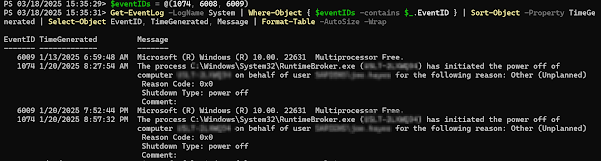
Get Restart log using PowerShell
I'm often curious about a restart on a Windows server system. An easy way to get a list of the restart and what initiated it is to use t...