Tuesday, May 21, 2019

Using PowerShell as a port scanner

I've been having a lot of servers lately that have been stood up for me by the hero's in our IT department (that is not sarcasm - these guys are awesome) without having the right holes poked in the firewall.

For instance, SQL Server listens, by default on port 1433. (NOTE: Best practice for server hardening is to change the default instance name and port)

To test this, I'd been using a clunky old port scanner that I wasn't happy with.

I therefore googled and found this excellent blog post by jblanchard.

The portion that I actually use is this:

PowerShell port scanner:
1..1024 | % {echo ((new-object Net.Sockets.TcpClient).Connect("10.0.0.100",$_)) "Port $_ is open!"} 2>$null

I usually change the first bit to 1433 (or whatever specific port I want to check )
1433 | % {echo ((new-object Net.Sockets.TcpClient).Connect("Myserver.MyDomain.com",$_)) "Port $_ is open!"} 2>$null

Wednesday, January 09, 2019

Make DB2 work again after server name has changed

There is an excellent guide on the steps needed to change the name of a server that is hosting DB2 LUW database that can be found on the Filmore Group Blog..


Monday, November 12, 2018

Tuesday, July 17, 2018

Wednesday, March 28, 2018

Grant ability to execute sp_who and sp_who2 without granting sysadmin privileges

Subhash Chandra  over at Sql Server Central has written what appears to be a great little procedure for granting someone the ability to run sp_who and sp_who2 without granting them sysadmin privileges.

Grat sp_who2 & who3 without granting sysadmin privileges

I have literally nothing to add :-D  Posting it here mostly so I can easily find it later.  Thanks, Subhash.

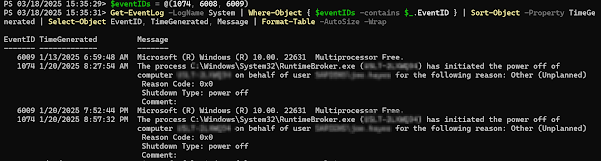
Get Restart log using PowerShell

I'm often curious about a restart on a Windows server system. An easy way to get a list of the restart and what initiated it is to use t...