Thursday, May 23, 2013

Find out where you're logged on

As a sysadmin, I end up logged in all over the place.
Periodically, I'm asked to change my password, and if I'm not logged out from every server, it can cause all sorts of issues.


Update: 2013-11-11
Ignore everything below.  This is so much easier than I was making it.
PsLoggedOn will simply scan your network and tell you where you're logged on. Not sure how I missed this!
http://technet.microsoft.com/en-us/sysinternals/bb897545

Example:
PsLoggedon.exe -l MyDomain\MyUser

*facepalm*
___

There is a WMIC command that can be used to see where you're logged in at on the network. This is probably the recommended way if you're running newer servers.
L
However, we still have a lot of older servers that don't fully support WMIC.  I therefore take the following approach:

From command prompt, run
NET VIEW | FIND /I "DB" > SERVERLIST.txt
This populates the list with all DB servers (per our naming conventions).

I then run
NET VIEW | FIND /I "AS" >> SERVERLIST.txt
This, per our naming conventions, appends the app servers (hosting jboss or WebSphere).
Note the >>, so that the SERVERLIST.txt is not overwritten by the output redirection.

I then execute PSLOGGEDON (download from sysinternals/PSTools) as follows:
for /F %i in (SERVERLIST.txt) do PsLoggedon.exe -L %i >> loggedon_output.txt 2>&1
This will read the systems in SERVERLIST.txt and, for each one, execute the PSLoggedon.exe -L command.  Output will be piped to loggedon_output.txt.
NOTE: loggedon_output.txt is not truncated at any point.  If you're like me and tend to run this from the same place over and over again, you'll need to clean it up manually before you begin.

Good luck :-)

Tuesday, April 30, 2013

WMIC to create a report of free disk space on servers

To see the free space on drives for a server, use the following command.
NOTE:  Replace   with the name of your server.

C:\temp>wmic /AGGREGATE:Off /FAILFAST:On /RECORD:outout.xml /NODE: "" logicaldisk get SystemName,description,DeviceID,FreeSpace
Description              DeviceID  FreeSpace    SystemName
3 1/2 Inch Floppy Drive  A:                     DEN01VMDBSOLO01
Local Fixed Disk         C:        12263886848  DEN01VMDBSOLO01
Local Fixed Disk         D:        78583287808  DEN01VMDBSOLO01
Local Fixed Disk         E:        78348578816  DEN01VMDBSOLO01
CD-ROM Disc              F:                     DEN01VMDBSOLO01
Network Connection       R:        52428800000  DEN01VMDBSOLO01


Even better, you can do so for a whole list of servers, by
A) Creating a comma delimited or newline delimited (on server on each line) list of server names in a .txt file.
Example:
Server1
Server2
Server3
Server4

B) Replacing with @ServerList.txt, where ServerList.txt is the name of your text file.

Awesome.

Tuesday, April 16, 2013

Issues with mouse direct-connected to hp EliteBook 8540w

CORRECTION:
Everything below the horizontal line is crazy-talk.  Sorry.
It was a problem with the mouse itself. I believe the USB connection was damaged.

________________________________________________________________________________________


I've been having issues recently with my mouse disconnecting and then reconnecting for no apparent reason when plugged directly into a USB port on my laptop.
I went into Control Panel -> Mouse, and found that my pointer was configured as shown:
Before: Synaptics TouchStyk V2.0 on PS/2 Port 0

I changed it to use the V7.0 Synaptic driver, and it appears to be working much better.
After: Synaptics TouchPad V7.2 on PS/2 Port 3

I also recajiggered the pointer so it's bigger and has a tail.

Not sure if this will help anyone, ever, but it's been really annoying me, so I thought I'd share just in case ;-)

Friday, April 05, 2013

Type an Ascii character in Windows, Alt Codes, Useful Links

If you're like me, you have a fairly limitted selection of special characters that you want to insert into your documents or messages on a regular basis.

There are several ways to do this, as outlined here:
http://www.timeatlas.com/5_minute_tips/general/making_cents_of_special_characters#.UV7QyFeS8hV

I've taken to using alt-codes for the ones I use most frequently.  Memorizing a few of these can be a big time-saver.  Good list here:
http://www.alt-codes.net/

Some of the ones I find most useful:
ALT-3        ♥
ALT- 14     ♫
ALT - 126   ~
ALT - 236   ∞
ALT - 241   ±
ALT - 242   ≥
ALT - 243   ≤
ALT - 0162 ¢  (Not in the linked page - look here: http://symbolcodes.tlt.psu.edu/accents/codealt.html)
ALT - 0169 © (Not in the linked page - look here: http://symbolcodes.tlt.psu.edu/accents/codealt.html)
ALT - 0174 ® (Not in the linked page - look here: http://symbolcodes.tlt.psu.edu/accents/codealt.html)

Those who write Spanish will find these useful:
¿  ALT-168
¡  ALT-173

There are also some accented letters you can check into, found here:
http://symbolcodes.tlt.psu.edu/bylanguage/spanish.html


Monday, April 01, 2013

Finding large files and directories on Windows

One of the most useful tools I've found for troubleshooting full drive issues is WinDirStat.

Since it seems that it's being bundled with all sorts of yuck-ware by all sorts of people, I thought I'd post the sourceforge link to the software.

http://sourceforge.net/projects/windirstat/files/windirstat/1.1.2%20installer%20re-release%20%28more%20languages%21%29/windirstat1_1_2_setup.exe/download?use_mirror=iweb

It gives a nice sort of heat map of where your large files and directories reside.  Very good tool, and much faster than the jdiskreport that I previously recommended from JGoodies, although I will say that is also a very worthy tool.  We have some systems that don't have java installed, though, and this tool is faster and doesn't have the java requirement.

Thursday, March 28, 2013

Detecting Transaction Isolation Level through Profiler Trace and other means on MS SQL Server 2005

I doubt that this comes up often, but I find myself in a bit of an argument about what isolation level will be used for transactions in our SQL Server database when the transaction is initiated by WebSphere.  There are various documents that indicate how WebSphere can over ride this value.

I decided to dig into this a bit further.

TRACE:

In doing so, I found that I could monitor our SQL Server DB to determine this.

I have only found two places where the transaction isolation level is appearing:
1 - Sessions:Existing Connection.Text Data
2 - In a deadlock trace as part of the XML output.

If anyone can find it elsewhere, I'd love to hear from you.  However, this makes sense, since this is more-or-less controlled at the session level.

QUERY:
If found that 
DBCC USEROPTIONS
would give me the *default* TIL for the db, but that if that TIL was altered by the session, it would not reflect that.

To get the TIL for *your session*, you can run the following query:

SELECT CASE transaction_isolation_level WHEN 0 THEN 'Unspecified' WHEN 1 THEN 'ReadUncomitted' WHEN 2 THEN 'Readcomitted' WHEN 3 THEN 'Repeatable' WHEN 4 THEN 'Serializable' WHEN 5 THEN 'Snapshot' END AS TRANSACTION_ISOLATION_LEVEL FROM sys.dm_exec_sessions

Credit to StackOverflow question and answer here: http://stackoverflow.com/questions/1038113/how-to-find-current-transaction-level 

Friday, March 22, 2013

Observations on translating stored procedures from Oracle <-> DB2 <-> MS SQL Server

I've spent the vast majority of the last 3-4 weeks translating stored procedures from Oracle to DB2, Oracle to SQL Server, and back again, etc. etc. etc. and so on and so forth ;-)

I have a couple of observations:
1 - Oracle PL/SQL is a very clean and easy to read language.
2 - MS SQL Server's T/SQL is powerful and modern and easy
3 - DB2's PL/SQL is, well, my grandmother always taught me that if I didn't have anything nice to say I should just not say anything at all.

I'll post some more useful notes in the coming days.  For now, I wanted to say, very clearly, that I have spent an inordinate amount of my time on the DB2 portions of this.  Sort of sad.  I fear IBM is neglecting this flagship product ...

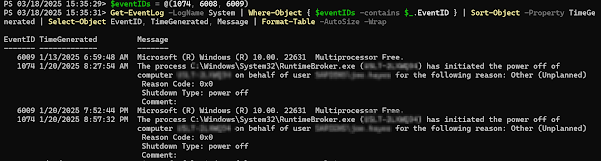
Get Restart log using PowerShell

I'm often curious about a restart on a Windows server system. An easy way to get a list of the restart and what initiated it is to use t...